Research Support Handbook
URL filter & phrase exclusion
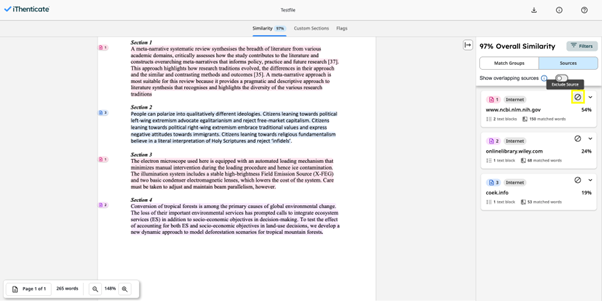
The Report Filters tab provides you with the ability to control a list of URLs that are excluded from the content search when generating a report for the folder. To exclude a URL simply click on the ‘exclude source’ button.
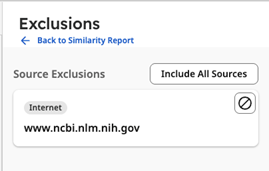
To inlcude a source again you can simply go to ‘Exclusions’ and include sources back.