Publishing Data
After a data package has been archived in the Vault, it can optionally be submitted for publication.
Publishing a data package has the following effects:
- A DOI will be assigned to the data package by Yoda. This persistent identifier can be used to refer to the data package, e.g. in a scientific publication.
- The metadata of the data package will be registered and published in DataCite.
- DataCite is harvested by numerous other websites such as Scopus, Google Scholar, Web of Science, etc. ensuring your dataset is findable.
- The dataset itself will stay in the Yoda Vault.
- Clicking on the DOI link will lead the visitor to a “landing page” of the dataset, see for example this data publication.
- If the Access Type metadata field is set to
Open - Freely retrievable, the data in the data package is downloadable from the landing page. - If the Access Type metadata field is set to
RestrictedorClosed, only the metadata will be shown. - By setting the Access Type to
Restrictedyou indicate a visitor can use the Contact link on the landing page to request access to the data. - By setting the Access Type to
Closedyou indicate the data are deposited in Yoda, but cannot be requested.
- If the Access Type metadata field is set to
- For all cases you need to supply a suitable licence that details the terms and conditions under which your data can or cannot be used. See this page for more information on suitable licences.
The VU Yoda repository page on DataCite Commons shows statistics of datasets currently published in VU Yoda.
Searching for unpublished datasets
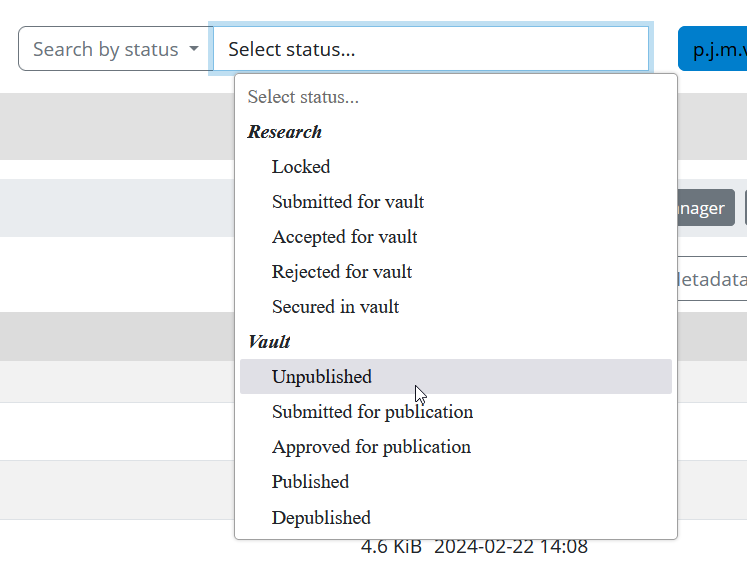
You can search for datasets that are archived but not (yet) published using the Search by Status function in the Yoda Portal. The list of data packages will include only the data packages of project groups of which you are a member. Click on a data package in the results list in order to view it.
How to: Submitting a dataset for publication
Publishing your data package is an important step, just like the publication of a journal article or book chapter. Before you publish your data package, you must make sure that it is correct, well-structured, and well-described. Once published, the data package will be findable (and potentially accessible) for anyone on the internet by its DOI. Only in exceptional cases will a data package be depublished, and its landing page will then have to explain why it is not available anymore.
In general, you should assume that once your data package is published, it will remain published and be part of the academic record. If you have a good reason to depublish a data package, please contact your data manager.
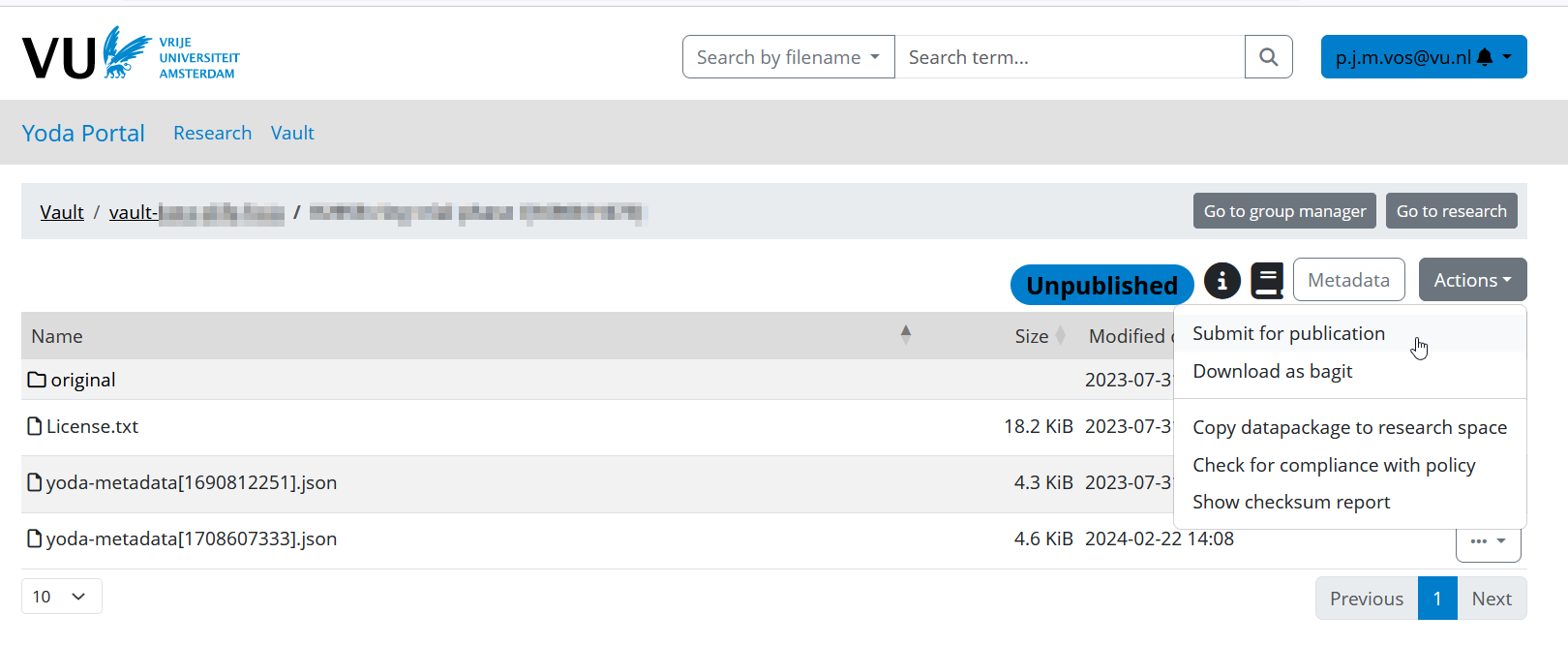
In the Yoda portal, navigate to the data package in the Vault.
Under Actions, click Submit for publication.
- Select if the data package is a new publication, or a new version of an already published data package in the same Vault.
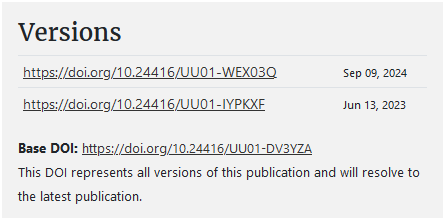
When you link your data package to an existing publication, Yoda will assign the same base DOI to the data package, and register the new data package as a new version of the earlier data package. Here you can find an example of linked data packages.
Once you’ve submitted a data package for publication, the data manager will be notified. The data manager will check that the data package meets various criteria for publication.
If the data manager encounters any issues, you will be contacted. Otherwise you’ll receive a notification that your data package has been published. This notification contains the DOI that has been assigned to your data package.
If needed, a data manager can update metadata of a dataset after it has been published.
Since the Vault is immutable it is not possible to change the dataset itself. If you need to, you can submit the updated original data folder again to create a new version, as described above.
Long-term accessibility
Yoda ensures there is always a data manager assigned to a Vault who can access Restricted and Closed datasets, even if the creators no longer have an account.